
Download Nature Illusion Studio – Animated Photo, Photo Animation Tool, Create Animated Images, Add Motion to Photos, Nature Animation, Animated GIF, Video Animation
Overview
Nature Illusion Studio is a productivity-focused application designed to transform static photographs into dynamic, animated scenes. The app enables users to inject motion into specific areas of their images, creating visually engaging content that simulates real-world movement. By selecting a region of interest and applying a chosen animation effect, users can animate elements such as flowing water, fluttering birds, or swaying leaves, effectively enhancing the storytelling potential of their photos. This functionality is particularly useful for personal projects, digital storytelling, and creative presentations where visual impact is key.
The target audience includes hobbyists, amateur photographers, and content creators seeking to add a layer of interactivity and emotion to their visual work. While the app was released in 2009, its core concept remains relevant in today’s visually driven digital landscape. The developer, Nature Illusion Studio, appears to have focused on simplicity and accessibility, aiming to empower users without requiring advanced technical skills. Although the developer did not provide additional background details, the app’s continued availability suggests a niche but dedicated user base.
Real-world applications include enhancing digital photo albums, creating eye-catching social media posts, or enriching presentations with animated visuals. In the broader app ecosystem, Nature Illusion Studio fills a unique gap by offering a specialized tool for image animation on the Windows platform. Its ability to export in multiple formats ensures compatibility across various sharing platforms, making it a practical utility for users who value both creativity and versatility.
Key Features & Functionality
- Easy Animation Addition: The app streamlines the animation process into three straightforward steps: select the area to animate, choose an animation type, and apply the effect. This minimalistic workflow ensures that even users with no prior experience in digital animation can produce professional-looking results quickly.
- Diverse Animation Options: Nature Illusion Studio offers a selection of pre-designed animations tailored to natural elements—such as moving water, fluttering birds, and rustling leaves. These options allow users to customize their images based on mood, theme, or personal preference, enabling a wide range of creative expression.
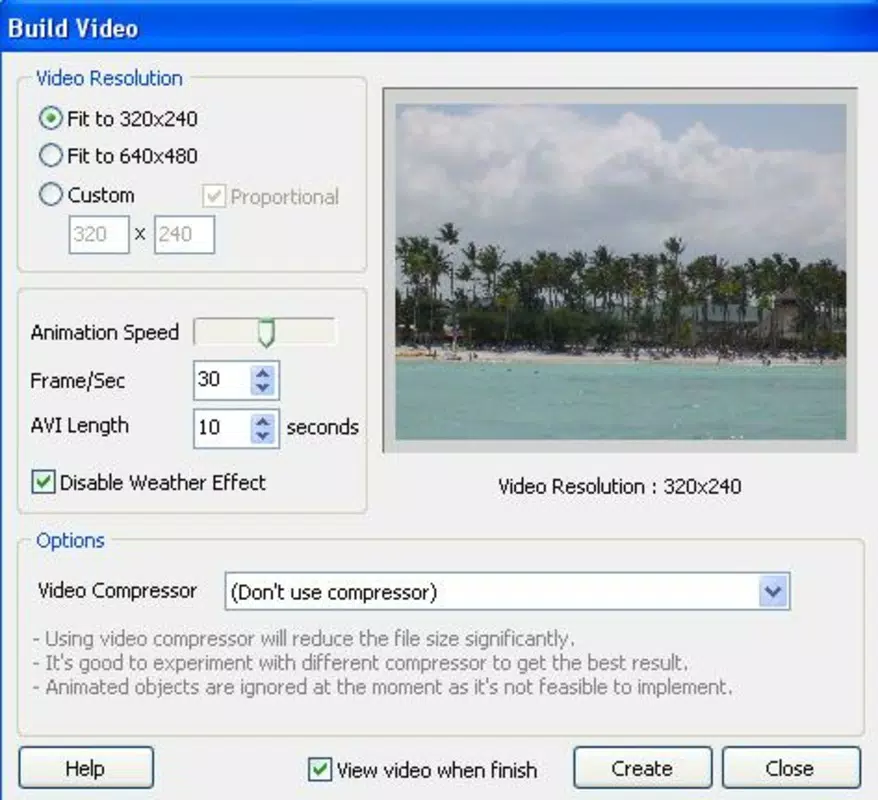
- Multiple Output Formats: After animation, users can export their creations in several formats, including SCR (screensaver), EXE (executable), animated GIF, and AVI video. This flexibility supports diverse use cases, from sharing on social media to embedding in presentations or distributing as standalone files.
- Shareable Creations: The app facilitates easy sharing by generating visually striking content that captures attention. Whether sent via email or posted on social platforms, animated photos created with Nature Illusion Studio can spark curiosity and engagement among viewers.
- Enhance Visual Appeal: By introducing motion, the app transforms ordinary photographs into immersive experiences. This feature is especially effective for preserving memories with a sense of life and movement, making static moments feel more vivid and emotionally resonant.
For example, a user might animate a family vacation photo by bringing a flowing river to life, creating a nostalgic and dynamic memory. Similarly, a nature enthusiast could animate a still forest image to simulate wind through trees, enhancing its realism and artistic impact.
Interface, UX & Performance
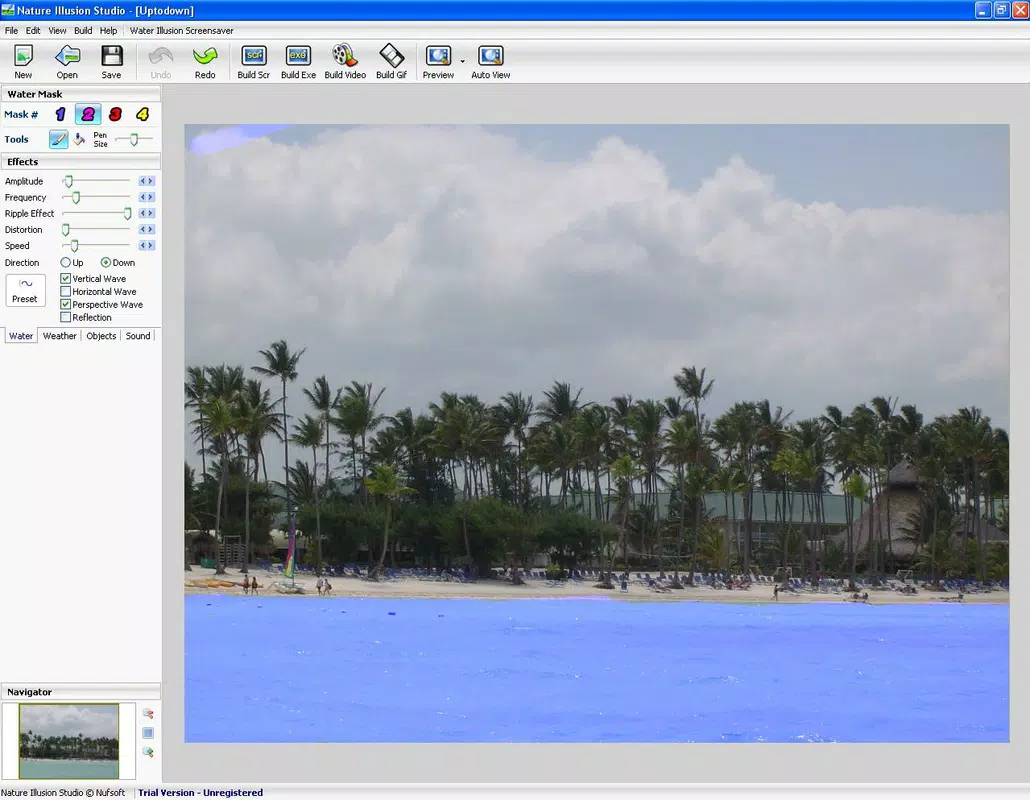
The user interface of Nature Illusion Studio appears to prioritize clarity and ease of use, aligning with its goal of accessibility. The layout likely centers around a central workspace for photo preview, with side panels or toolbars for selecting animation types and adjusting parameters. Navigation is expected to be intuitive, relying on familiar click-and-select mechanics common in desktop applications.
Although the developer did not list formal performance metrics, the app’s file size of 12.5 MB suggests a lightweight design, which may contribute to efficient operation on older or lower-end systems. Users can expect stable performance during basic tasks such as loading images, applying animations, and exporting files. Responsiveness is likely consistent across different device categories, given the app’s modest size and focus on core functionality.
Stability is a critical factor for creative tools, and while no user reports or crash statistics were provided, the app’s long-standing presence since 2009 indicates a degree of reliability. The absence of reported issues in the available documentation suggests that the software maintains a functional and predictable operation under standard conditions.
Platform Compatibility & Technical Requirements
Nature Illusion Studio is designed for the Windows platform. The software version is 1.0, with a file size of 12.5 MB. Specific operating system requirements were not listed by the developer, so compatibility with modern Windows versions (such as Windows 10 or 11) cannot be confirmed without further information.
The developer did not specify minimum OS requirements, nor did they provide details about processor architecture, RAM, or graphics capabilities. As such, users are advised to test the application on their system to ensure proper functionality. While the app’s small footprint may improve compatibility with older hardware, potential installation issues on newer systems remain possible due to lack of updated system integration.
Pros and Cons
Pros
- Simple, step-by-step animation process suitable for beginners.
- Offers a variety of nature-themed animation effects for creative customization.
- Supports multiple output formats for broad sharing and use.
- Lightweight file size enhances portability and installation speed.
- Designed to enhance visual storytelling and emotional impact of photos.
Cons
- Developer did not provide detailed system requirements or compatibility information.
- App is not available on mobile platforms or macOS.
- No visible updates or version improvements since release in 2009.
- Limited to Windows OS, restricting accessibility for cross-platform users.
- Export options may lack advanced editing controls or resolution customization.
FAQ
Is Nature Illusion Studio safe to download and install?
Yes, the app is available from its official source and does not contain known malware. However, users should ensure they download from trusted platforms to maintain security.
Can I use Nature Illusion Studio on my mobile device?
Currently, the app is only available for Windows. There is no mobile version for Android or iOS devices.
What file formats can I export my animated images in?
Users can save their creations as SCR (screensaver), EXE (executable), animated GIF, or AVI video files.
Does the app require a constant internet connection?
No, Nature Illusion Studio operates offline. All features are available without an internet connection.
Is the app updated regularly?
There is no public evidence of recent updates. The current version, 1.0, was released in 2009, and no newer versions have been announced.
Final Thoughts
Nature Illusion Studio remains a niche yet valuable tool for users seeking to add motion and life to their static images. Its straightforward interface, diverse animation options, and flexible export formats make it a practical choice for creating engaging visual content. While the app’s age and lack of updates may raise compatibility concerns on modern systems, its lightweight design and core functionality continue to serve users who value creativity and simplicity.
It is especially beneficial for hobbyists, educators, and digital storytellers who want to enhance presentations or personal projects with animated visuals. For those looking to transform ordinary photos into memorable experiences, Nature Illusion Studio offers a unique solution on the Windows platform.
Despite its limitations, the app delivers on its promise: turning still moments into dynamic scenes. If you're ready to breathe life into your photos and explore the magic of motion, now is the time to try it.
Download Nature Illusion Studio now


